Features
-

Manage all your Work Items in one System
informUp provides a simple Application Lifecycle Management which gives you the ability to:
• Manage Requirements and Test Cases
• Track Defects/Bugs, Tickets, Tasks & More...
• Smart Links to link between any two items in the system.
• Tabs for each items group simplify your view.
All in one system and provided at a low cost.
When you have the option to have it all in one system, just buy it!
-

Dashboard & Reports
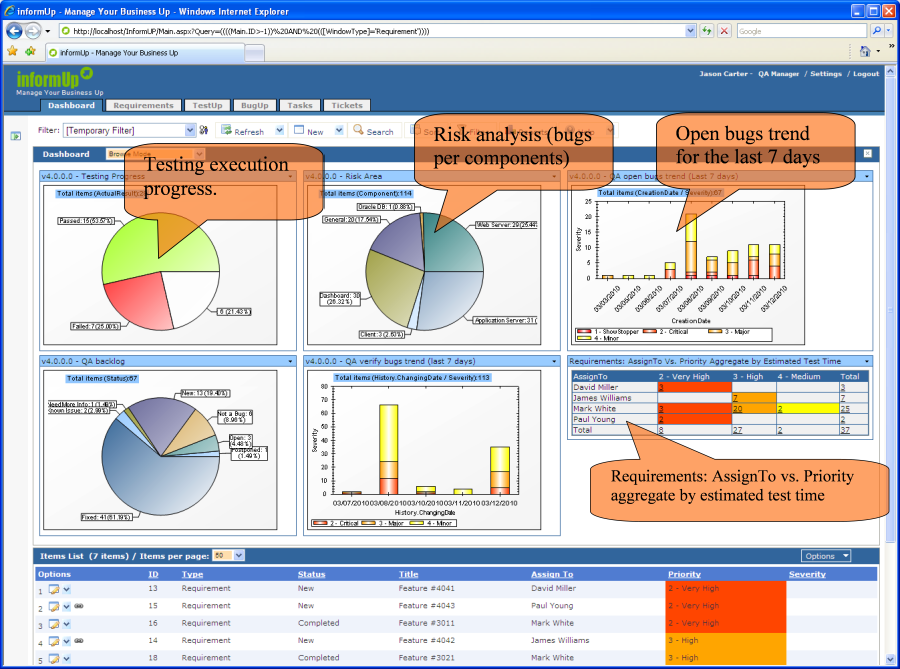
Dashboard presentation enables managers to take a step back from the small details and see the key trends and relationships that drive their companies. A dashboard report is a way to visually present critical data in summarized fashion so that you can make quick and effective decisions, the same way a car’s dashboard works.
InformUp Dashboard is an excellent feature to create these types of graphs, charts and reports. You can create your own dashboard reports using informUp’s tools.
-

Personalization & Customization
• View in all windows is available for customization according to a choice of columns and type of filter.
• The user can define his columns order and default filter for each one of the tabs.
• Fully customize the Dashboard, adding/deleting charts and arranging it using the drag & drop feature.
• Specifically define Items presentation per page for each one of the tabs.
• Custom group Reports for each one of the tabs.
• Create unlimited custom fields (Text, Drop Down List, Multiple Selection List, Integer, Regular Expression limitation, Memo ,Date and more...)
• Ability to Set default values for each field in each window type
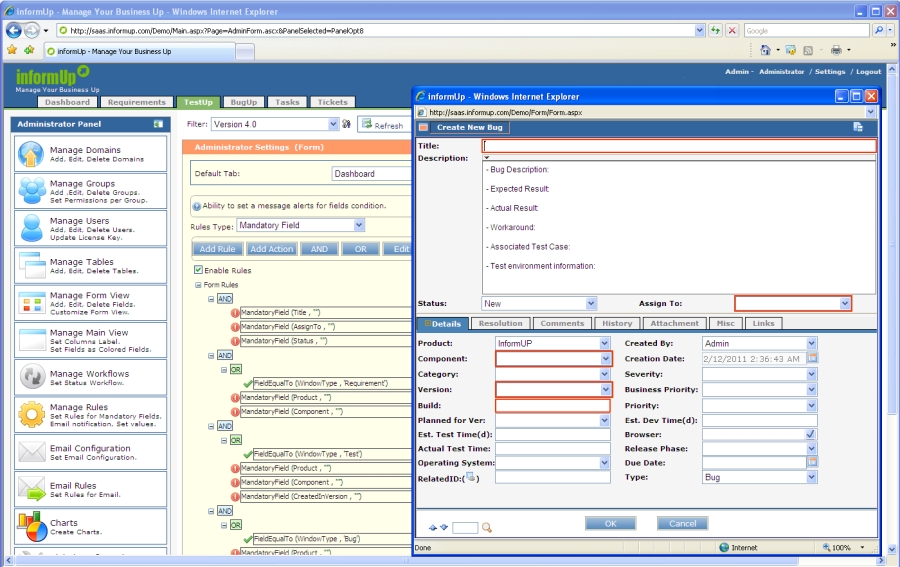
• User defined rules to create mandatory fields, supporting the organization’s processes.
-

Organize, Search & Filter
• The filters enable SQL query integration, thus gaining the ability to run any AND/OR queries and other type of SQL scripts.
• Filters allow you to create custom views and workspaces for different project team members.
A saved query could be defined as public, private or assigned to specific groups.
A public query may be viewed and used by anyone.
A private query may only be viewed and used by the creator.
• Hierarchical Folders - informUp includes a variety of organizational options and search tools to help you efficiently manage your items. Hierarchical folders provide a familiar method for organizing your requirements and test cases.
The more test cases and requirements/features you manage, the easier it becomes to organize and find them quickly using this feature.
• Advanced search capabilities enable locating indexed data in any field type and text field
-

Customized Workflow & Rules Engine
• Complete workflow customization: states, transitions, etc...
• Design a specific workflow per the different item types
• Customize fields and add them to any workflow, state list, transition etc
• Show a restricted list of transitions for a given state
• A full audit trail is recorded in the database
• E-mail notification for the various workflow steps
• Powerful Rule engine with the following capabilities: set mandatory fields, send email notifications on changes and set a calculated value for fields
-

Security & Permission
• Manage separate domains to support specific groups of interest
• Manage security groups setting specific permission rights per group
• Enhanced security - Protect against brute force attack
-

Email & Alerts
• Receive automatic email notification regarding specific events such as:
Change in data, specific value, priority of any field on screen.
• Email capability directly from any item type.
• Direct link from the email generated to open the item.
-

Administration
• Full support for Internet Explorer, Firefox and Chrome including Administration


• 100% Web based application
• The application is easy to install, it takes a few minutes to start working!
• Multiple items could be either changed or cloned
• The application is easy to maintain and configure
-

Usability
• Tabs for each items’ group simplifies view of the work load
• The same intuitive window for all items
• A MS-WORD like Editor delivers WYSIWYG ability
-

Multi-language
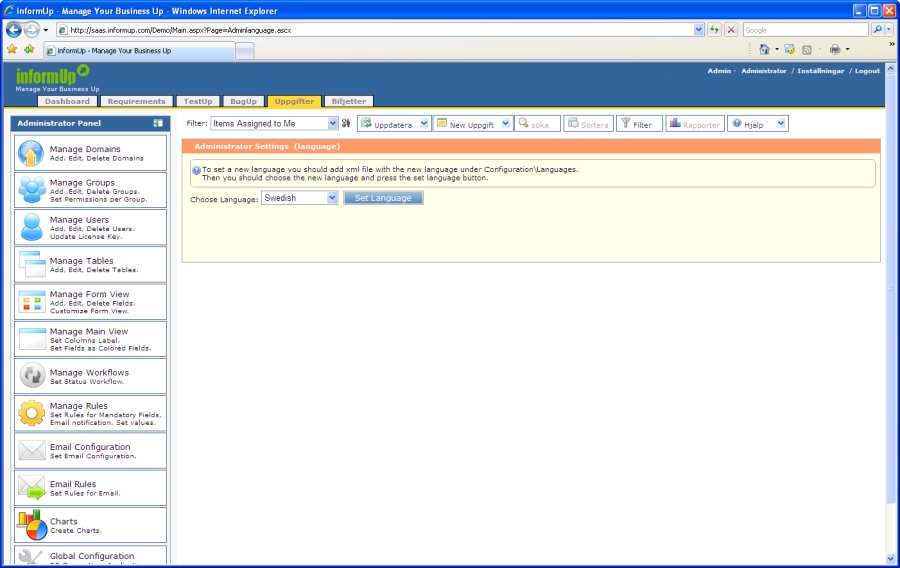
Multi-language support for any language, available in all fields (including right to left languages).
In addition informUp interface is available in any language by updating configuration file.
-

Your Feature
We are here to receive your suggestions, ASAP!!!